Construction QA/QC software
The end of “is it ready yet?”
Ready To Inspect is construction QA/QC software built on one rule: no photos, no record. The submit button enforces it, not a reminder. Every record then chains into a signed, tamper evident handover that an owner can verify.
30-day trial · No card · Works offline
The Photo Gate
No photos. No submit.
The rule is enforced on the server, not left to a reminder a crew can dismiss. Tap through it yourself.
RIV-A-F3-305
Unit 305 · Electrical rough-in
Wire pulled and secured
Photo required
Boxes at correct height
Photo required
Grounding continuous
No photo needed
Circuit schedule matches drawings
No photo needed
2 more photos to unlock
Enforced three times, not once.
Browser
Keeps the button locked
Server
Rejects the request outright
Database
A constraint holds the line
The record
Change a record later and the chain shows it.
Whatever the gate lets through is written to a log that is only ever added to. Each record stores the hash of the one before it, so an edit after sealing makes the two values stop matching.
The break is visible, permanent, and dated, and an owner can check it without trusting RTI.
Check a package yourself- RTI-041112 Aug 2026 · 11:02 MDT
- Prev
- a4f7c2…9c21
- Hash
- b81d05…4e77
Linked
- RTI-041212 Aug 2026 · 14:32 MDT
- Prev
- 2fc90e…81a3
- Hash
- 3fa9e1…c108
Chain break
After the gate
The gate starts the record. The rest carries it to the owner.
One review board
Every submission lands in one place. Approve it into the turnover, or send it back to the crew with a note.
See the whole loopWorks with no signal
Inspections save on the phone in a basement or a stairwell and sync when the signal comes back.
The field appThe owner signs off
Your client gets their own login, reviews the approved evidence, and signs from their phone.
For owner's repsA turnover package, not a folder
Approved work exports as a branded PDF and CSV: checklists, photos, signatures and the audit statement.
Turnover packagesCheckable without us
A free, open verifier confirms a package's hash chain offline, so an owner never has to take our word for it.
Verify a package
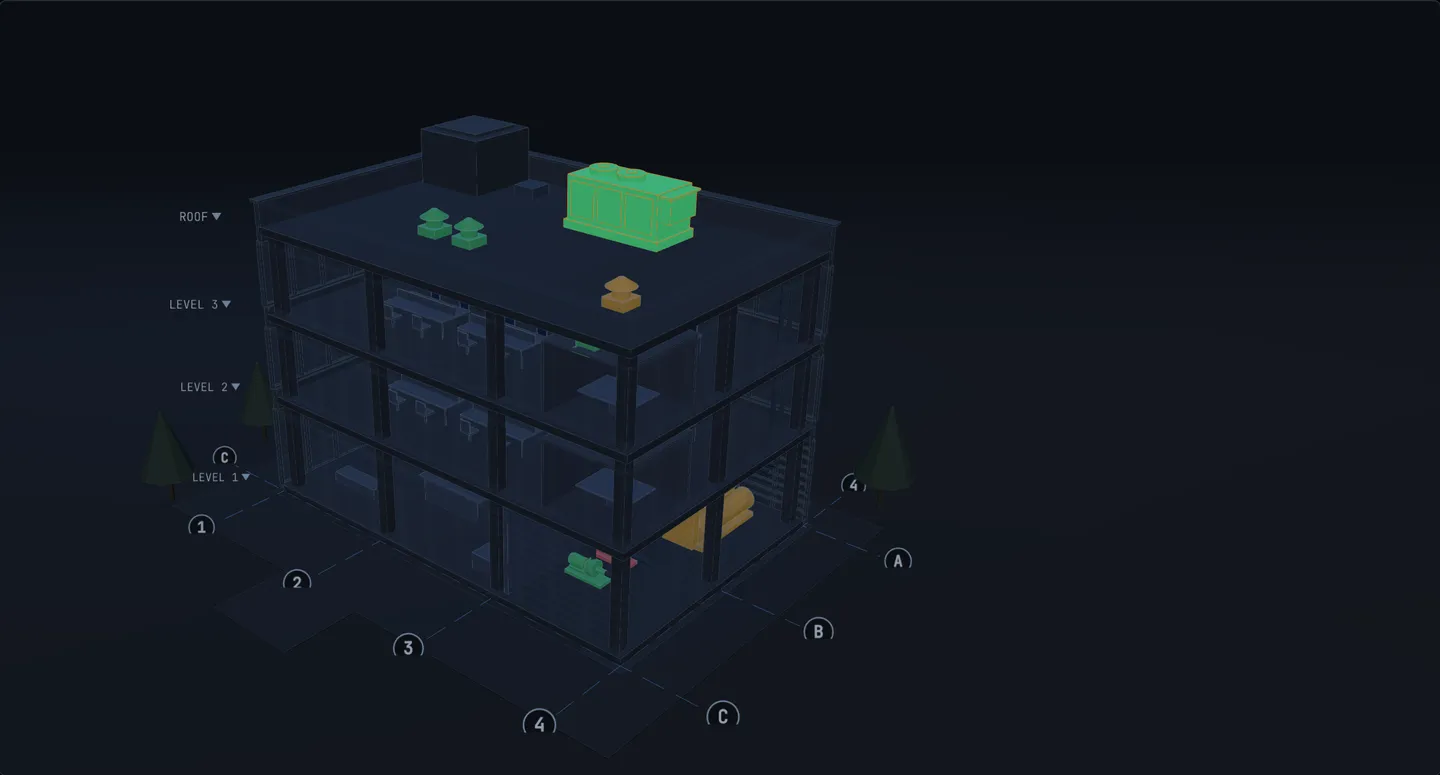
On the model
See what’s ready on the model.
Bind each tag to its IFC element once, and the model shows its live inspection status. Find the one open NCR without scrolling a punch list.
How it works
Sticker on the wall to a signed turnover package that can’t be quietly changed.
See how it worksStep 1
Tag it
Print QR stickers and put one on anything that needs inspecting.
Step 2
Scan it
Phone camera, one scan, straight into your checklist with the photos required.
Step 3
Prove it
Every submission lands on one board to approve or send back with a note.
Step 4
Sign off
Your client or the inspector gets their own login and signs off from their phone.
Who it's for
If you inspect it, you can tag it.
The reference library
Free to read, one click to run in RTI.
Pricing
Priced per project, not per argument.
Unlimited people on every plan. Pay for the projects you run.
30-day trial · No card required